
Three easy ways to list everywhere with KickSync

In this guide
Wondering how to sell on eBay, Amazon, and your Shopify store without listing everything three times? KickSync gives you three ways to do it, and you pick the one that fits how you already work:
- If you already sell on Amazon, you can keep listing there.
- If you already sell on eBay, you can keep listing there, too.
- If your Shopify store is where you started, or you’re done typing the same title into three different boxes, you can list once in KickSync.
Whichever way you pick, each listing goes out with the data that place searches on, and that data is what gets it found.
| If you | You list on | KickSync lists it | Your part |
|---|---|---|---|
| Already sell on Amazon | Amazon, as you do now | On eBay and in your Shopify store, automatically | Set your eBay defaults once, and turn on Auto-Publish |
| Already sell on eBay | eBay, as you do now | In your Shopify store, automatically, and on Amazon once you confirm the match | Turn on Auto-Publish, and confirm each Amazon match |
| Started with your Shopify store, or want one place to list | KickSync | In your Shopify store, on eBay, and on Amazon, in one action | List each item once |
Find your row, jump to its how-to, and skip the other two. We won’t take it personally.
How to #1: Sell on eBay and Shopify from Amazon
This is the most hands-off of the three. You keep running your store from Amazon, and KickSync syncs it to eBay and your Shopify store (how it works for Amazon sellers). Once it’s set up, your job is listing on Amazon, which you were doing anyway.
- Connect Amazon, and your listings come in automatically.
- Set your eBay defaults once: your shipping, return, and payment policies, a store category, and an item location. Once, not once per item.
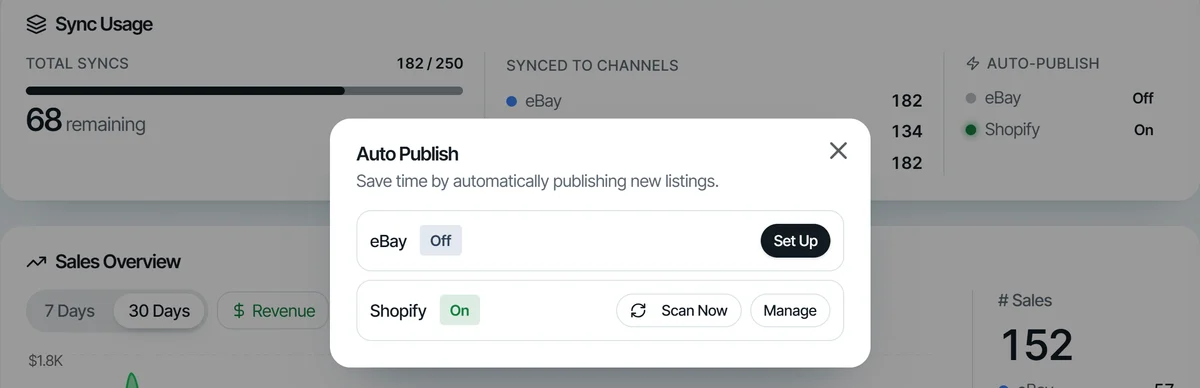
- Turn on Auto-Publish for eBay and for Shopify. KickSync lists your items on eBay and in your Shopify store, with their photos, price, and details.
- Keep listing on Amazon. New listings are picked up on their own, and Auto-Publish lists them on eBay and in your store too.
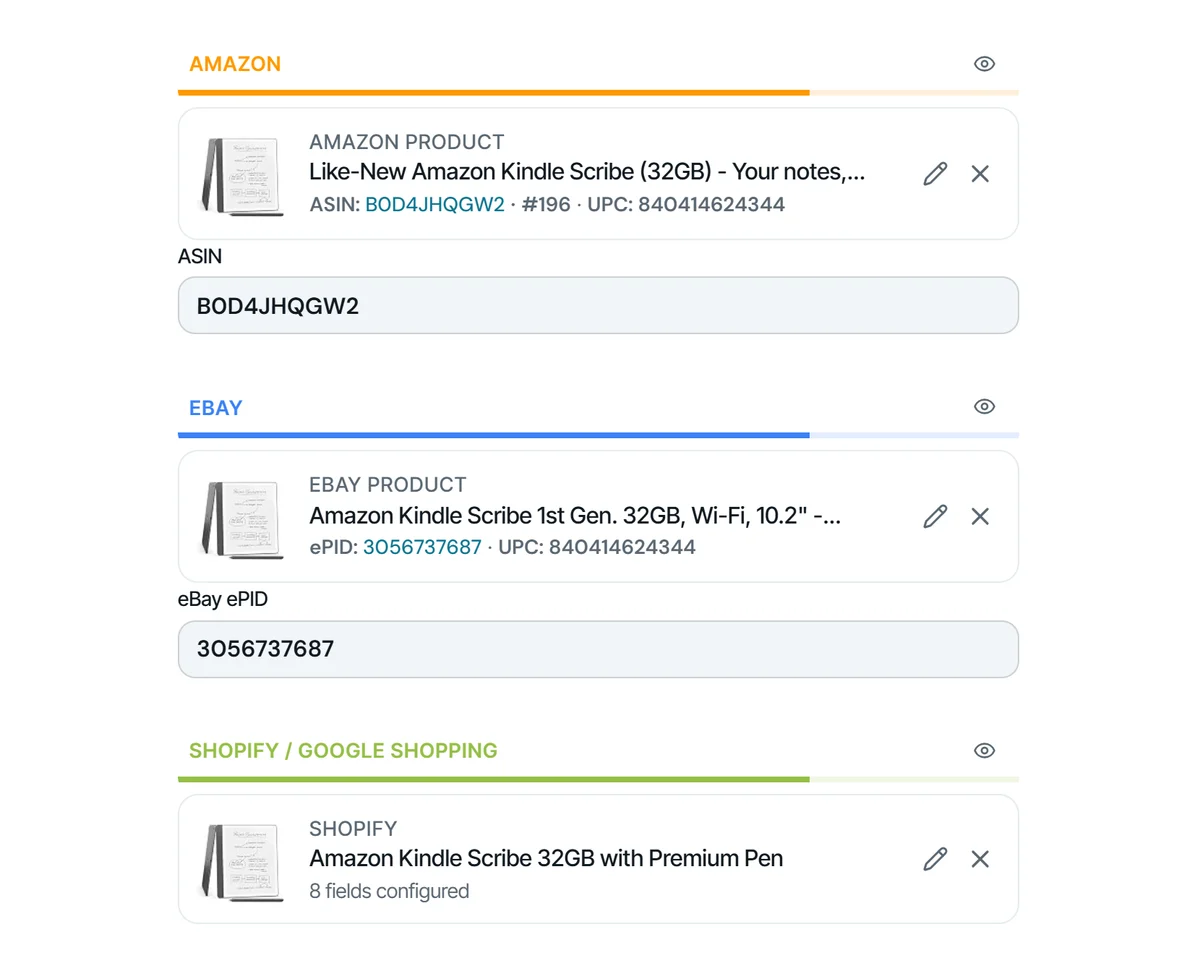
On eBay, KickSync also finds each item’s catalog product, category, and item specifics for you. Anything it isn’t sure of lands in one place for you to finish. Fix it once and it stays fixed, which is more than anyone can say about a label printer.
How to #2: Sell on Shopify and Amazon from eBay
eBay stays home base. You list and edit there like always, your Shopify store follows on its own, and Amazon gets one quick check from you (how it works for eBay sellers).
- Connect eBay, and your listings come in automatically.
- Turn on Auto-Publish for Shopify. KickSync lists your items in your Shopify store, with their photos, price, and details.
- Keep listing on eBay. List something new and Auto-Publish lists it in your store too.
- Confirm your Amazon matches. Your items are matched to Amazon ASINs automatically. Once you confirm a match with Approve Match, it’s ready to go. Used items list with your own photos of the actual item.
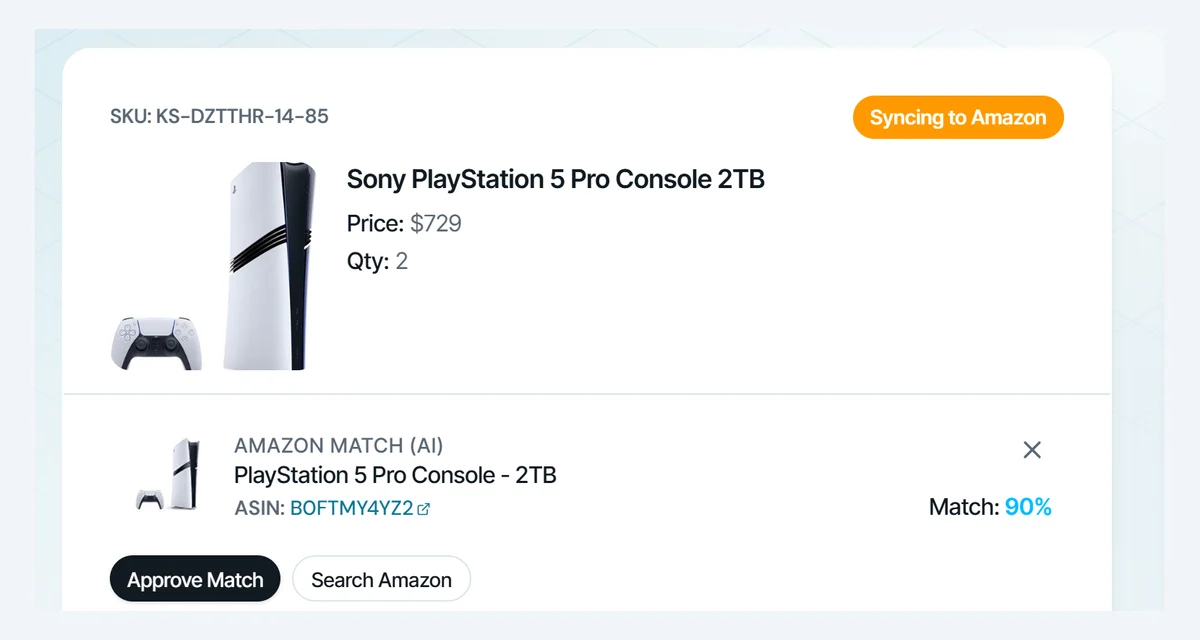
Why does Amazon get a step of its own? On Amazon, everyone selling the same product shares one product page, and the ASIN (Amazon’s product number) decides which page your offer lands on. KickSync matches your items to products already in Amazon’s catalog and never creates new ones. A near miss, like the wrong model, a bundle, or another edition, puts your item in front of buyers expecting something else, and nobody wants to explain why the Paperwhite a buyer ordered showed up as a Scribe. So the final say is yours. It also means Amazon is for items already in its catalog.
How to #3: Sell on Shopify, eBay, and Amazon from KickSync
If your Shopify store is where you started, or you’d simply rather do all your listing in one place, list in KickSync (how it works for Shopify sellers).
- Connect your channels: your Shopify store, eBay, and Amazon.
- Add the item in KickSync.
- List it once. One action lists it in your Shopify store, on eBay, and on Amazon.
If you already sell on eBay or Amazon, your listings come in from there automatically. And the ways mix: keep listing on eBay or on Amazon, and list in KickSync whenever that’s quicker. Nobody’s keeping score.
What happens once an item is listed?
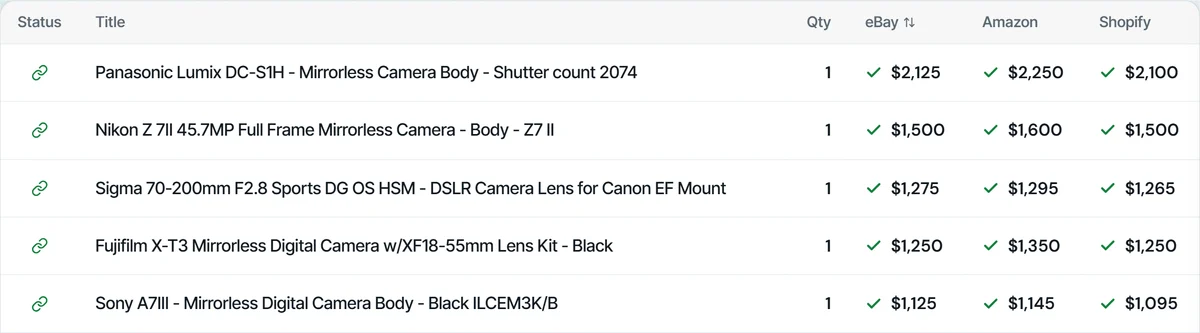
From here, all three ways work the same. Each item lists with its photos, price, and details, and from then on its quantity stays in sync. Sell it anywhere and the quantity updates everywhere else in minutes, so you don’t sell it twice. Anyone who has sold their last one twice knows that apology email by heart.
Why does the data behind a listing matter?
A listing is only as good as the structured data that travels with it. Buyers don’t find your item by reading listings one by one. Amazon, Google, and eBay match each search to the fields behind a listing: which product it is, its brand and barcode, its category, its size and color. With those right, your item turns up. Without them, it can be hard to find, however good the photos are. Yes, even the one you took in perfect window light.
Here’s what each place looks for.
Amazon: the right product page
When several sellers offer the same product, Amazon features the best of those offers on the product page, “in what’s sometimes referred to as ‘the buy box,’” and lists the rest under More Buying Choices (Amazon’s explanation). The criteria Amazon names include a low price (delivery included), fast delivery, a record of good customer service, and keeping delivery promises. But you can only compete for the Buy Box from the right page, and the ASIN match is what puts your offer there. The best price on the wrong page is still on the wrong page.
Google: barcodes, brands, and categories
Google says it uses your product data “to match your products to the right queries” (Google’s product data rules). A few fields do most of the work:
- GTIN, the UPC or EAN barcode number. Google says a GTIN “helps us make your ad or unpaid listing easier for your customers to find,” and that products with a missing or wrong one “may have limited visibility” (Google on GTINs). An item with no barcode goes without one, with its brand and MPN instead.
- Google product category. Google assigns every product a category itself; this field lets you set the right one (Google on categories).
- Condition, which Google requires for used and refurbished items.
This matters most for a Shopify store. A marketplace comes with its own crowd of shoppers, and your store gets the ones Google sends, so being found there counts for more. If Google flags missing GTINs, DataFeedWatch’s guide to the limited performance warning walks through the fixes.
eBay: item specifics and the catalog
eBay calls item specifics, together with product identifiers, “the most important way to help buyers find what they’re looking for.” Buyers filter their results by brand, size, color, and more, “and your item will only appear in those filtered search results if you’ve added the matching item specific” (eBay on item specifics). Leave color blank, in other words, and your listing sits out every search filtered by color. eBay adds that item specifics help a listing turn up on Google Shopping and other search engines too.
A product identifier lets eBay match your item to its catalog, which fills in details such as the title and photo, and eBay says adding one “increases the chances of a buyer finding your item” (eBay on product identifiers). There’s more on how eBay ranks listings in our guide to eBay search, and MerchantSpring’s guide to eBay item specifics goes through each kind.
What does KickSync fill in?
Whichever way you list (from Amazon, from eBay, or from KickSync), KickSync fills in the data each place searches on, at every step:
- On Amazon: the ASIN match, found for you and confirmed by you.
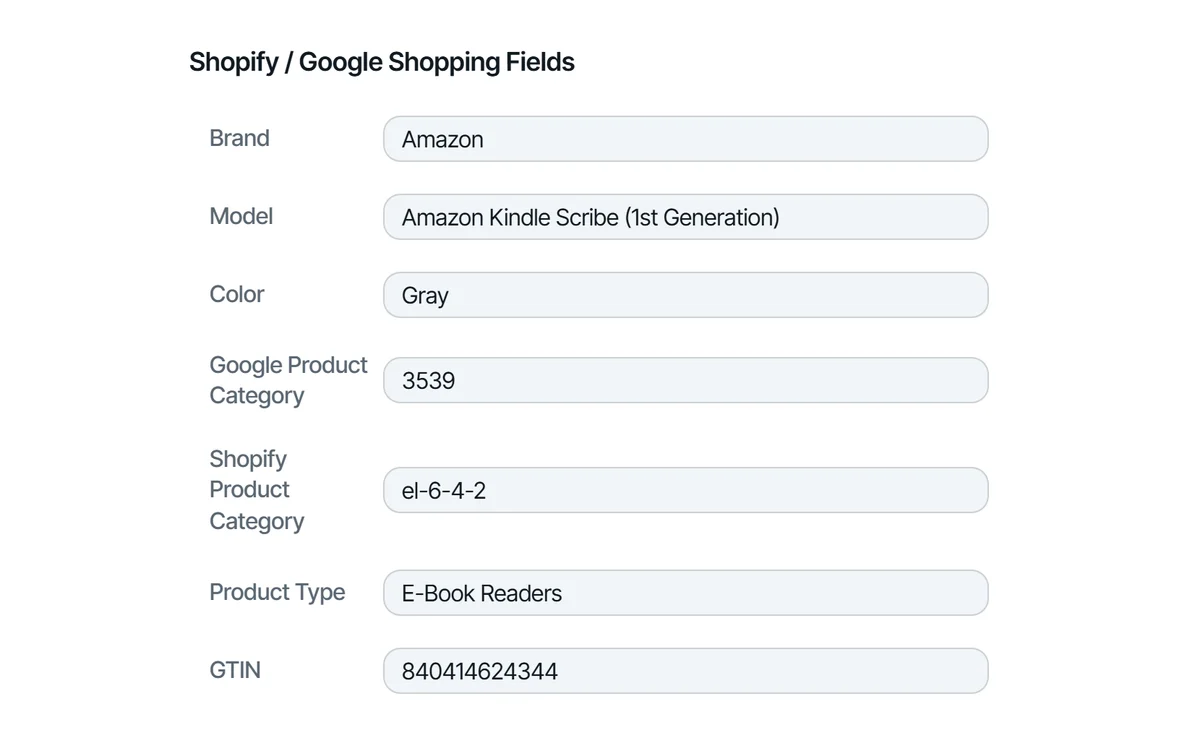
- In your Shopify store: the Google Shopping fields, such as brand, GTIN or UPC, Google category, color, and material, whether the item came through Auto-Publish or from KickSync. Linking your store to Google is your own setup in Shopify; once it’s linked, your items can be found there.
- On eBay: the catalog product, the category, and the item specifics.
Where you list stays your choice, and nothing about how you run your business has to change. Same marketplace, same routine. KickSync follows you, and every item it lists goes out with the data each place searches on, so buyers can find it wherever you sell. That’s the KickSync difference.